Quick answer
Is there a RaiDrive for Mac? No. RaiDrive is a Windows app, and as of November 2026 there is no macOS version. The developer has mentioned plans for one on its forum, but none has been released. If you want to see Google Drive, OneDrive, Dropbox or S3 storage in Finder, Air Live Drive does the same job on a Mac, and it also runs on Windows.
Why Mac users look for a RaiDrive alternative
RaiDrive became popular on Windows because it turns a cloud account into a drive letter: Google Drive as G:, an S3 bucket as S:, and every app on the PC can open those files as if they were local. Mac users want the same thing, especially in mixed teams where colleagues on Windows already work that way.
macOS can get part of the way on its own. Finder’s Connect to Server works with SMB and WebDAV, and providers such as Google and Microsoft offer their own desktop apps. But Finder does not connect to Amazon S3 or S3-compatible services natively, and each provider’s app only handles its own service. If your files are split across Google Drive, OneDrive and an S3 bucket, you end up with three apps, three sync folders and three places to check.
How Air Live Drive works on a Mac
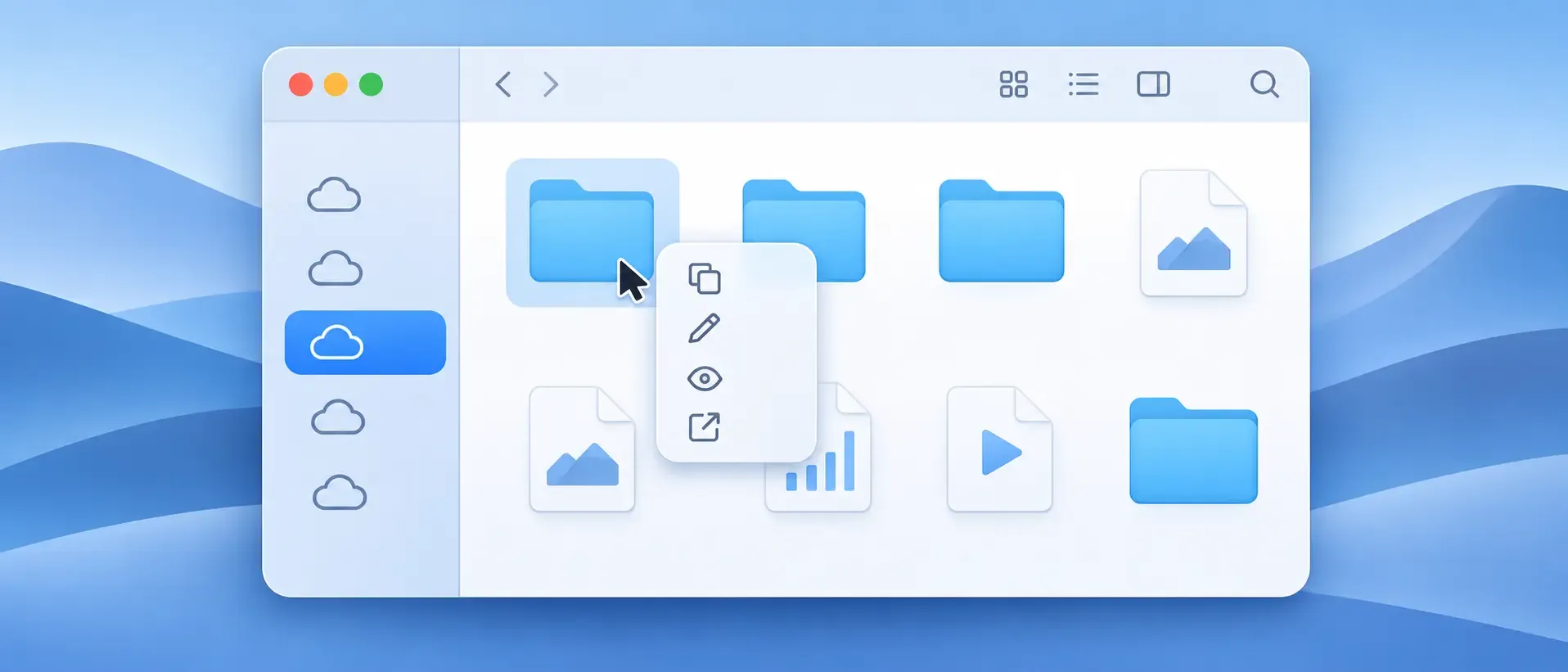
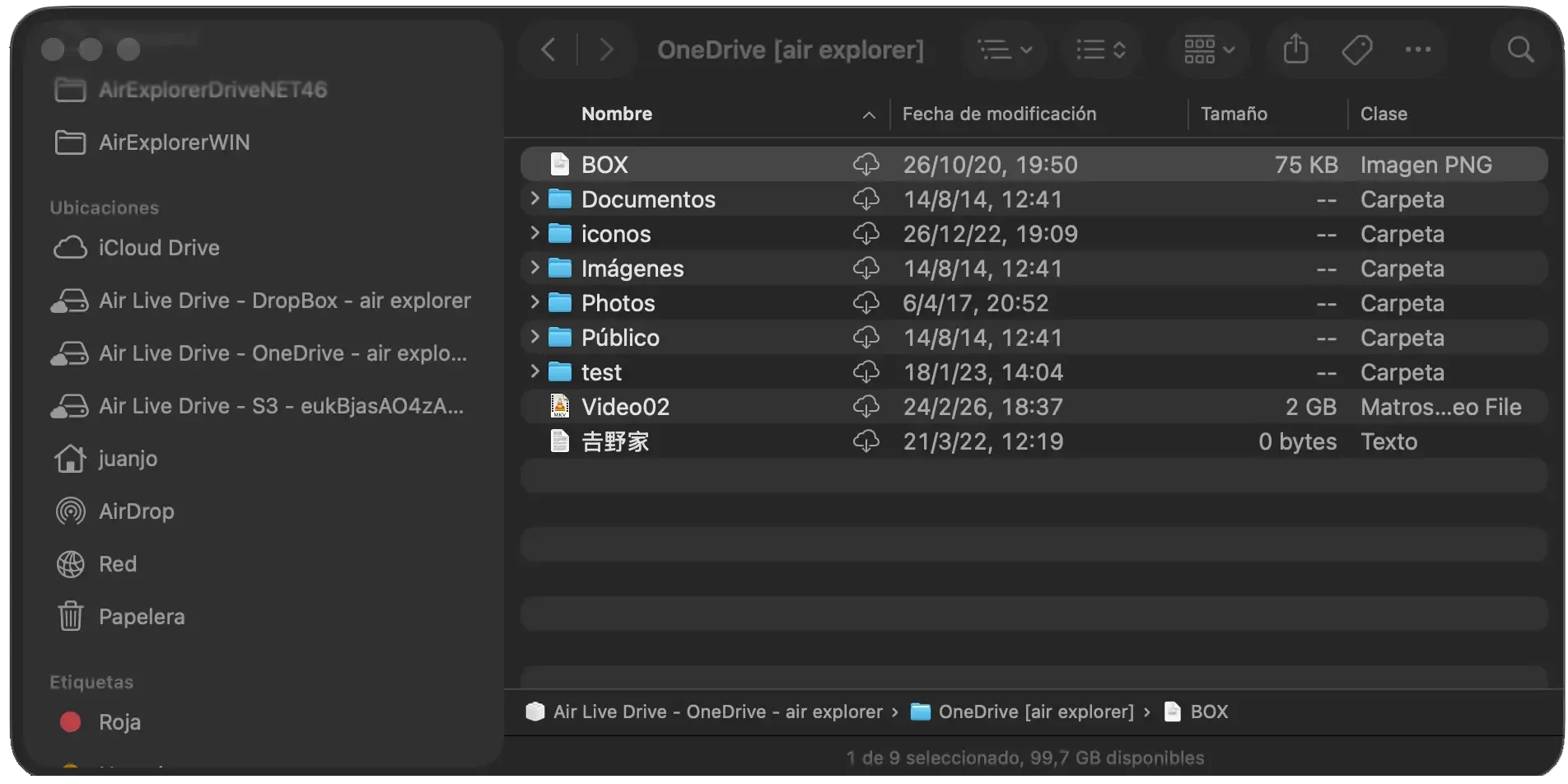
Air Live Drive for Mac adds each cloud account to Finder as its own location. It uses Apple’s File Provider framework, the same system that Finder uses for other cloud locations, so mounted clouds appear in the sidebar and behave like normal folders: you can copy, rename, preview and open files with any Mac app.
- Download Air Live Drive for Mac and install it.
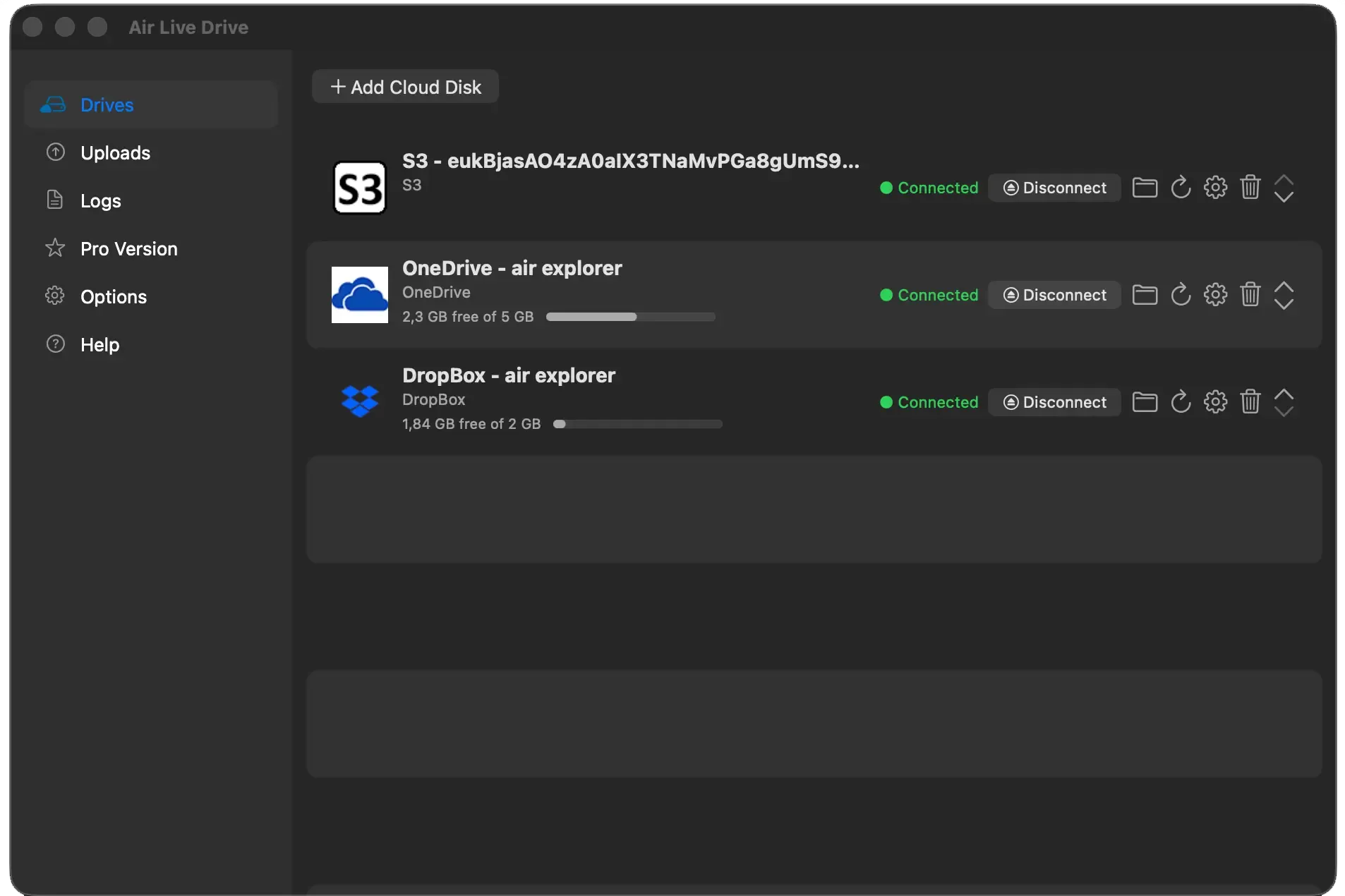
- Click Add cloud disk and choose the service: Google Drive, OneDrive, Dropbox, Amazon S3, Wasabi, WebDAV, SFTP and many more.
- Complete the provider’s sign-in and connect the drive.
- If macOS asks, allow Air Live Drive in System Settings › Login Items & Extensions › File Providers.
The account now shows up in Finder. Files are downloaded only when an app opens them, so your SSD is not filled with a full copy of every account. The Air Live Drive for Mac overview covers the details.
RaiDrive vs Air Live Drive at a glance
| RaiDrive | Air Live Drive | |
|---|---|---|
| Windows | Yes | Yes (Windows 7 to 11) |
| macOS | No | Yes (macOS 13 or later) |
| Where clouds appear | Drive letters in File Explorer | Drive letters in File Explorer; locations in Finder |
| Google Drive, OneDrive, Dropbox | Yes | Yes |
| S3 and S3-compatible storage | Yes, depending on the plan | Yes (Amazon S3, Wasabi, IDrive e2 and others) |
| Free version | Yes, with limits | Up to 3 drives, one per cloud service |
If you are on Windows and comparing both tools in depth, see our RaiDrive alternative guide. If you need S3 or WebDAV specifically, WebDAV vs S3 vs SFTP explains which protocol fits each job.
One tool for Windows and Mac
A practical advantage of Air Live Drive is that the same app runs on both systems. On Windows, each cloud gets a drive letter in File Explorer; on a Mac, it gets a location in Finder. The steps, the supported clouds and the way you work are the same, which helps when you switch computers or when a team mixes PCs and Macs. Our guide to using Air Cloud Tools on Mac shows how Air Live Drive fits alongside Air Explorer and Air Cloud Analyzer.
Bonus: let AI work with your cloud files
Desktop AI apps increasingly work with local folders: Claude’s desktop app and ChatGPT with Codex can read, create and edit files in a folder you select. They usually cannot reach a folder that lives only in the cloud. A mounted drive closes that gap, because to the AI it is just another folder.
On Windows, Air Live Drive has step-by-step guides for using ChatGPT and Codex with Dropbox, Google Drive and OneDrive folders and for using Claude and ChatGPT with iCloud Drive on Windows. On a Mac the idea is the same: the mounted cloud appears in Finder, so you can pick one of its folders in the AI app’s folder selector.
Two habits keep this safe on either system: give the AI only the folder the task needs, and mount the drive as read only when the AI only has to read. Before you start, it also helps to organize your cloud storage so the AI finds the right files.
Frequently asked questions
Does RaiDrive work on a Mac?
No. RaiDrive does not offer a macOS version as of November 2026. Mac users need an alternative such as Air Live Drive to mount cloud storage in Finder.
Can I mount Amazon S3 in Finder?
Not with macOS alone, because Finder has no built-in S3 support. Air Live Drive mounts Amazon S3 and S3-compatible services such as Wasabi and IDrive e2 as locations in Finder.
Is Air Live Drive free on Mac?
Yes, for up to three drives with one account per cloud service. Air Live Drive Pro removes those limits for $17 per year or $25 for a lifetime license.
Does Air Live Drive copy my whole cloud to the Mac?
No. Files stay in the cloud and are downloaded only when you open them. Finder can also remove a downloaded copy to free space without deleting it from the cloud.