
Managing multiple cloud storage accounts has become essential for both professionals and everyday users. Tools like Google Drive, OneDrive, Dropbox, Mega, and S3 are now part of our daily workflow, but juggling them all can be a challenge.
MultCloud is one of the most popular cloud‑to‑cloud managers, offering a web interface to transfer and sync files between services. However, many users eventually look for a more powerful, flexible, or affordable alternative.
If you’re searching for the best MultCloud alternative, the answer is clear: Air Explorer. With a desktop‑first approach, broader cloud support, stronger security, and a one‑time license option, Air Explorer stands out as the superior choice.

What is MultCloud and why do users look for alternatives?
MultCloud is a web‑based cloud manager that lets you connect multiple cloud drives and perform transfers or sync tasks between them. It’s convenient and easy to use, but it also comes with limitations that push users to explore alternatives:
- Subscription‑only pricing
- Monthly transfer limits
- No native file encryption
- Web‑only interface
- Limited offline/local operations
- Slower performance for large transfers
For users who need speed, privacy, and full control, a desktop solution like Air Explorer becomes far more appealing.
Introducing Air Explorer: A MultCloud alternative
Air Explorer is a desktop application for Windows, Mac, and Android designed to manage, sync, and transfer files across dozens of cloud services.
Its biggest strengths include:
- A full file‑manager interface with dual panels and tabs.
- Local verification for safer transfers.
- Multi‑thread performance optimized for desktop.
- Unlimited cloud accounts (Pro).
- One‑time lifetime license option.
- Encrypt content & filenames in the cloud for maximum privacy.
Air Explorer gives you the power of a professional file explorer combined with the flexibility of a cloud manager.
Air Explorer vs MultCloud: Full feature comparison
| Category / Feature | Air Explorer (Desktop App) | MultCloud (Web App) |
|---|---|---|
| Platform | Windows, Mac, Android | Web browser (any device) |
| Interface | File Explorer (drag-drop, tabs, dual panels) | Web dashboard with file manager |
| Supported clouds | 50+ (Drive, OneDrive, Dropbox, Mega, S3, FTP, SFTP, WebDAV, NAS, TeraBox, etc.) | 30+ popular (Drive, OneDrive, Dropbox, etc.) |
| Cloud-to-cloud transfer | Yes, unlimited (Pro), pause/resume | Yes, plan limits, multi-thread (up to 10) |
| Synchronization | Yes: mirror, bidirectional, update, multiple simultaneous tasks | Yes: one-way, two-way, mirror, real-time, extension filter |
| Scheduler | Yes: daily/weekly tasks | Yes: web scheduler, offline transfers (remote server) |
| Encryption | Content + filenames + connections | Connections |
| File management | Edit, bulk rename, compress, version history, share, thumbnails, play videos | Upload/download/preview/rename/cut/copy/delete, transfer filter |
| Advanced Automation | Scheduler + bandwidth scheduler | Task manager, email notifications, sub-accounts, team transfer |
| Search | Unified across all clouds | Basic dashboard search |
| Multiple accounts per cloud | Yes, unlimited (Pro) | Yes |
| Offline / Local | Yes (PC-cloud, local verifications) | Partial (server offline transfers) |
| Speed / Parallelism | Multi-thread, desktop optimized | Multi-server parallel transmission |
| Free Version | Unlimited basic management; limited sync/transfer | 30 GB/month transfer, basic functions |
Who should choose Air Explorer?
Air Explorer is ideal for:
- Users with many cloud accounts.
- Professionals handling large files.
- People who need encryption for privacy.
- Anyone who prefers a desktop file manager.
- Users who want a one‑time payment instead of subscriptions.
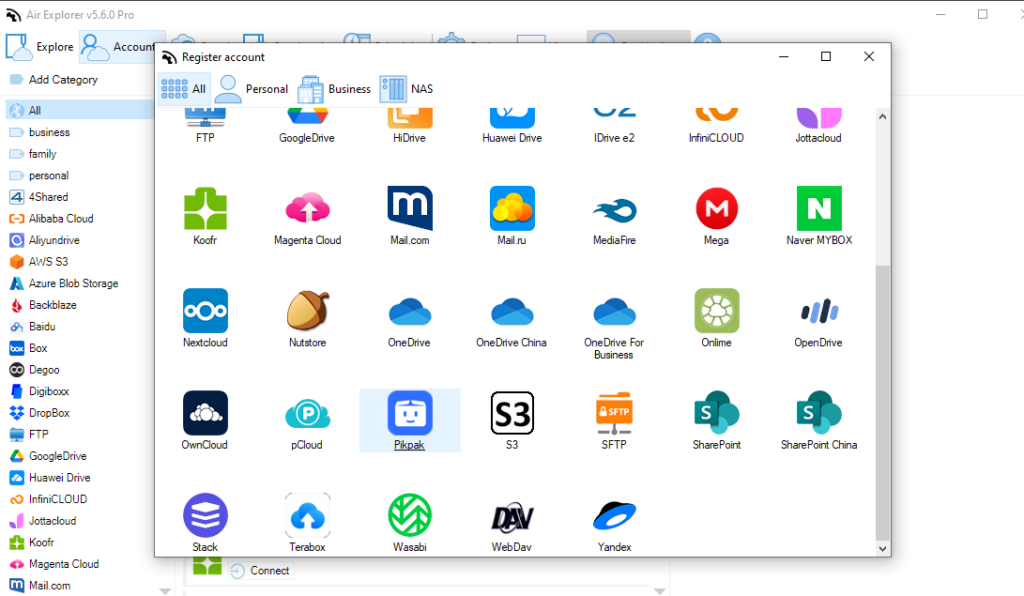
If you value speed, security, and control, Air Explorer is the better choice.
How to migrate from MultCloud to Air Explorer
Switching is simple:
- Download and install Air Explorer.
- Add your cloud accounts.
- Configure sync or transfer tasks.
- Set up the scheduler if needed.
- Enable encryption for sensitive files.
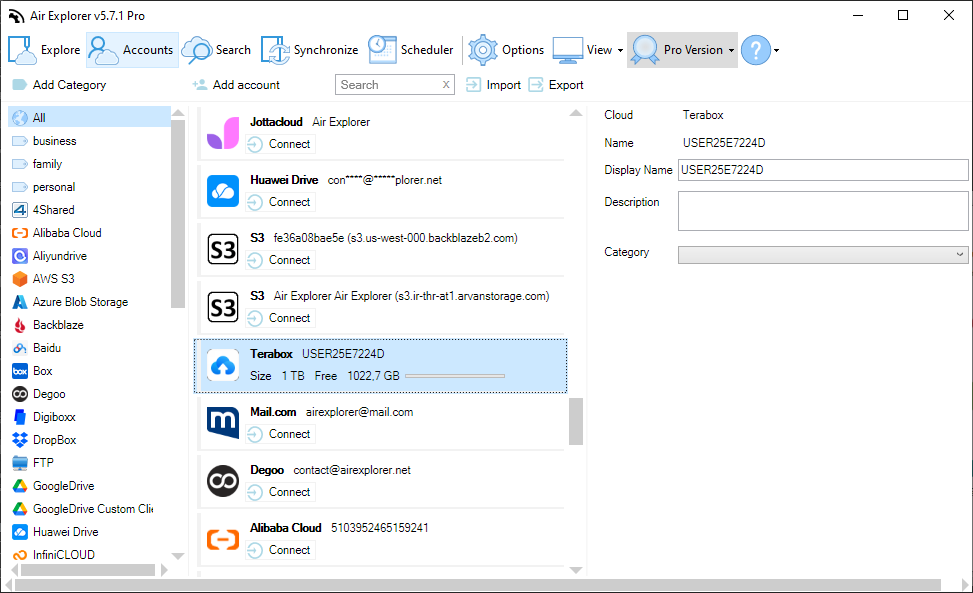
In minutes, you’ll have a faster, more secure cloud management setup.
Conclusion: Air Explorer is one of the best MultCloud alternative
Air Explorer outperforms MultCloud in cloud support, security, speed, offline capabilities, and pricing. Whether you’re a professional managing multiple cloud accounts or a user looking for a more affordable solution, Air Explorer is the best MultCloud alternative available today.
Try Air Explorer
and experience a faster, safer, and more powerful way to manage your clouds.