
In today’s digital world, cloud storage has become the backbone of productivity. Whether you’re a freelancer, a business owner, or simply managing personal files, the way you organize your cloud data directly impacts efficiency and security. Poor organization can lead to wasted time, duplicated files, or even data loss. The good news is that with the right strategies, and the right tools, you can transform your cloud into a streamlined, secure workspace.
Why cloud organization matters
Cloud storage offers flexibility, accessibility, and collaboration. But without a clear system, files quickly become scattered across multiple accounts and platforms. This not only slows down your workflow but also increases the risk of losing important documents. By combining smart organization practices with specialized tools like Air Explorer, Air Live Drive, and Air Cluster, you can maximize productivity while keeping your data safe.

Best practices for organizing files in the cloud
1. Create a logical folder hierarchy
Design folders based on projects, clients, or categories. For example, use a structure like Work > Client A > Project Files to keep everything easy to locate.
2. Use consistent naming conventions
File names should be descriptive and uniform. Instead of “final.docx,” try “ClientA_ProjectX_Report_v2.docx.” This makes searching faster and avoids confusion.
3. Manage versions carefully
Avoid clutter by keeping only the latest version of a file. Use version control features or overwrite old drafts to prevent duplication.
4. Apply tags and metadata
Many cloud platforms allow tagging. Adding keywords or labels helps you retrieve files quickly, especially when working across multiple accounts.
5. Schedule regular clean-ups
Set aside time monthly to archive old files and delete unnecessary data. This keeps your cloud lean and efficient.
Data protection essentials
Organizing files is only half the battle, protecting them is equally important.
- Encryption: Always encrypt sensitive files during transfers.
- Backups: Store copies across different clouds to prevent data loss.
- Access Control: Limit permissions to ensure only authorized users can view or edit files.
- Two-Factor Authentication: Add an extra layer of security to your accounts.
These practices safeguard your information while maintaining productivity.
Air Explorer: Manage multiple clouds seamlessly
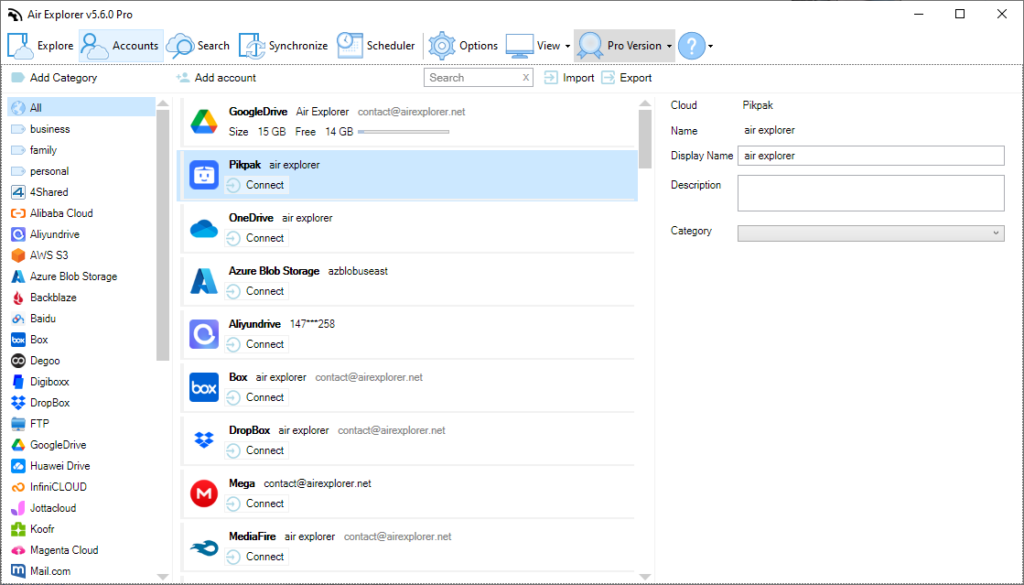
If you juggle several cloud accounts, Google Drive, OneDrive, Dropbox, and more, Air Explorer is a must-have. It centralizes access, allowing you to browse, transfer, and synchronize files across platforms from one interface. Features like scheduled transfers and built-in encryption make it ideal for professionals who need both efficiency and security. For SEO purposes, think of it as the best tool for managing multiple cloud accounts.
Air Live Drive: Work with cloud files like local files
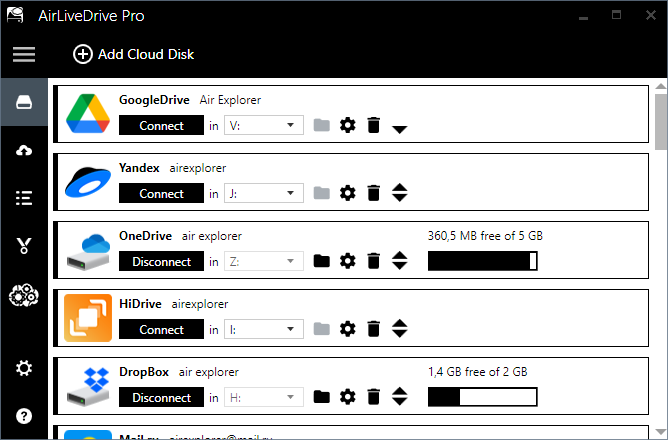
Downloading and re-uploading files wastes time. Air Live Drive solves this by mounting your cloud storage as a local disk. You can open, edit, and save files directly in the cloud without extra steps. This is perfect for designers, video editors, or anyone working with large files. It’s productivity at its finest, work with cloud files as if they were on your PC.
Air Cluster: Expand and unify your cloud storage
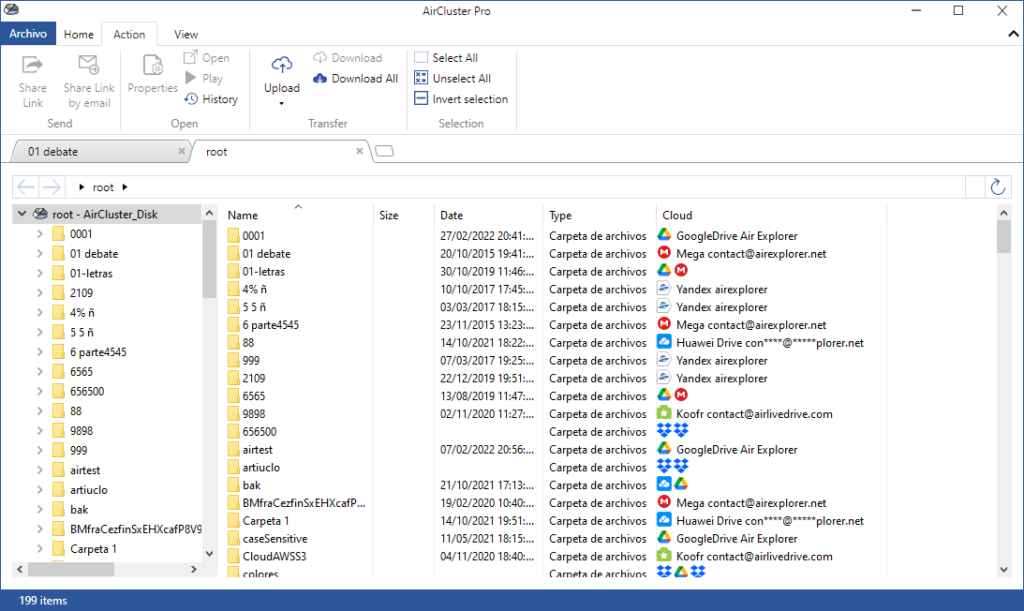
Running out of space? Air Cluster lets you combine multiple cloud accounts into one large virtual drive. This not only increases storage capacity but also improves redundancy and transfer speeds. It’s especially useful for backups or big projects where space and reliability are critical. In SEO terms, it’s the best way to expand your cloud storage by clustering accounts.
Choosing the right tool for your workflow
Air Explorer
Manage multiple clouds in one app
- Transfer, sync and backup between Google Drive, OneDrive, Dropbox & 50+ services.
- Advanced sync modes.
Air Live Drive
Mount clouds as local disk drives
- Access Google Drive, Dropbox & more like native folders on Windows
- No sync – direct file access.
Air Cluster
Combine all your cloud accounts into one big cloud
- Expand storage by joining free accounts.
- Create unlimited virtual space across services.
- Unlimited cloud transfers
- Use Air Explorer when you need to manage files across different clouds.
- Use Air Live Drive when you want to work directly with cloud files.
- Use Air Cluster when you need more space and unified storage.
Together, these tools create a complete cloud productivity ecosystem.
Conclusion
Organizing files in the cloud is essential for productivity and data protection. By applying best practices, like folder hierarchies, naming conventions, and regular clean-ups, you’ll keep your digital workspace efficient. And by leveraging powerful tools such as Air Explorer, Air Live Drive, and Air Cluster, you’ll not only organize smarter but also protect your data more effectively.
With the right strategies and solutions, your cloud can become a secure, streamlined hub that boosts productivity and peace of mind.