
Why migration and file transfers matter today
Cloud storage has become the backbone of modern digital workflows. As businesses and individuals increasingly adopt multi‑cloud environments, using Google Drive for collaboration, OneDrive for work documents, Dropbox for sharing, and Amazon S3 for backups, the need for efficient migration and file transfer solutions has grown dramatically. Hybrid workflows, where data moves between local devices and multiple cloud platforms, are now the norm.
However, cloud migration is not always straightforward. Users often face slow transfers, limited browser‑based tools, inconsistent synchronization, and security concerns when moving sensitive files. These challenges become even more complex when managing large datasets or multiple cloud accounts.
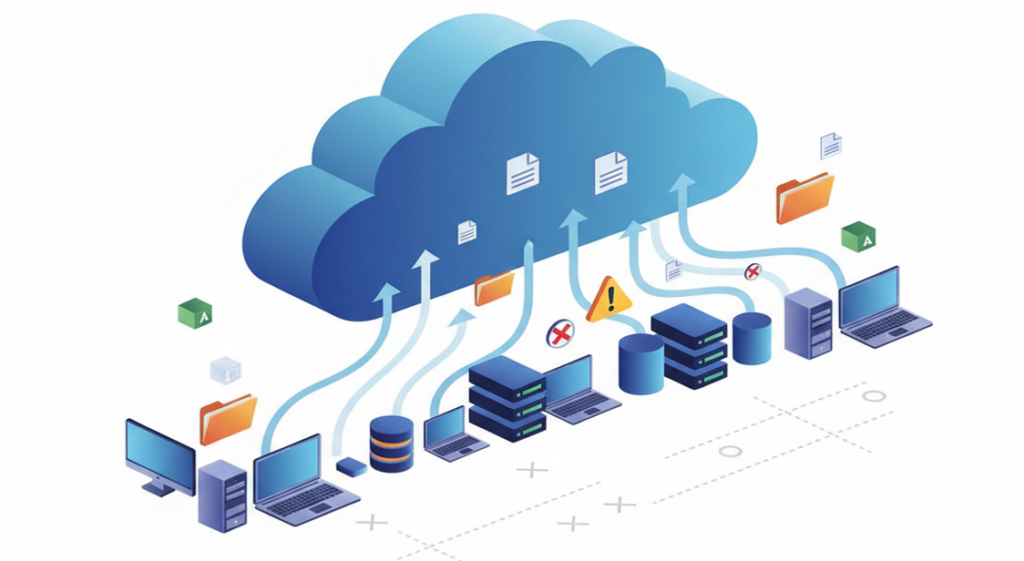
This is where Air Explorer and Air Cluster stand out. Both are desktop applications designed to simplify cloud‑to‑cloud and PC‑to‑cloud migration with speed, reliability, and automation.
We’ll explore the main migration methods available today and show how Air Explorer and Air Cluster streamline large‑scale transfers across multiple cloud services.
Understanding cloud migration and file transfer workflows
Cloud migration refers to the process of moving data between different storage environments. This can include:
- PC → Cloud: Uploading local files to a cloud service.
- Cloud → Cloud: Transferring data between two cloud accounts (e.g., Google Drive → OneDrive).
- Cloud → PC: Downloading cloud files to a local device for backup or reorganization.
Because cloud storage is now distributed across multiple platforms, understanding the different types of transfers is essential for choosing the right migration strategy.
Types of file transfers
1. One‑time migrations
These are large, single operations performed when:
- Moving from one cloud provider to another
- Migrating company data to a new platform
- Consolidating personal cloud accounts
They require tools that support high‑volume transfers, error recovery, and fast speeds.

2. Continuous sync
This involves keeping two locations updated automatically. For example:
- Syncing a PC folder with Google Drive
- Syncing OneDrive with Dropbox
- Maintaining mirrored backups across clouds
Continuous sync is ideal for workflows that require real‑time updates and ongoing consistency.
3. Backup‑oriented transfers
These transfers focus on creating secure copies of data:
- Multi‑cloud backups
- Scheduled backups to S3 or NAS
- Redundant storage for disaster recovery
Backup workflows benefit from automation, encryption, and detailed logs.

4. Multi‑cloud consolidation
Many users accumulate multiple free cloud accounts over time. Consolidation involves:
- Merging several accounts into one
- Creating a unified storage pool
- Simplifying file management
This requires tools capable of handling multiple accounts simultaneously.
Key factors to consider in cloud migration
When choosing a migration method or tool, evaluate:
- Speed: How quickly can large files be transferred?
- Reliability: Does the tool handle interruptions and resume transfers?
- Encryption: Are files protected during migration?
- Automation: Can tasks run on a schedule?
- Compatibility: Does the tool support all your cloud providers?
Understanding these elements ensures a smooth, secure, and efficient migration process.
Common migration and transfer methods (Pros & Cons)
| Method | Pros | Cons |
|---|---|---|
| Manual browser downloads/uploads | – Easy to use – No installation required | – Slow and unstable – Limited file sizes – No automation – High risk of errors or incomplete transfers |
| Native cloud tools (OneDrive Sync, Dropbox client, etc.) | – Reliable and official – Good for PC ↔ cloud sync | – Only works within one cloud – No cloud‑to‑cloud transfers |
| Web‑based multi‑cloud managers | – Accessible from any browser – No installation needed – Multi‑cloud manager | – Slower speeds – Limited control – Dependent on browser sessions |
| Desktop multi‑cloud managers (best for large migrations) | – Multi‑cloud manager – Fast and stable – Supports encryption – Handles large datasets – Offers automation and scheduling | (No major cons for migration workflows) |
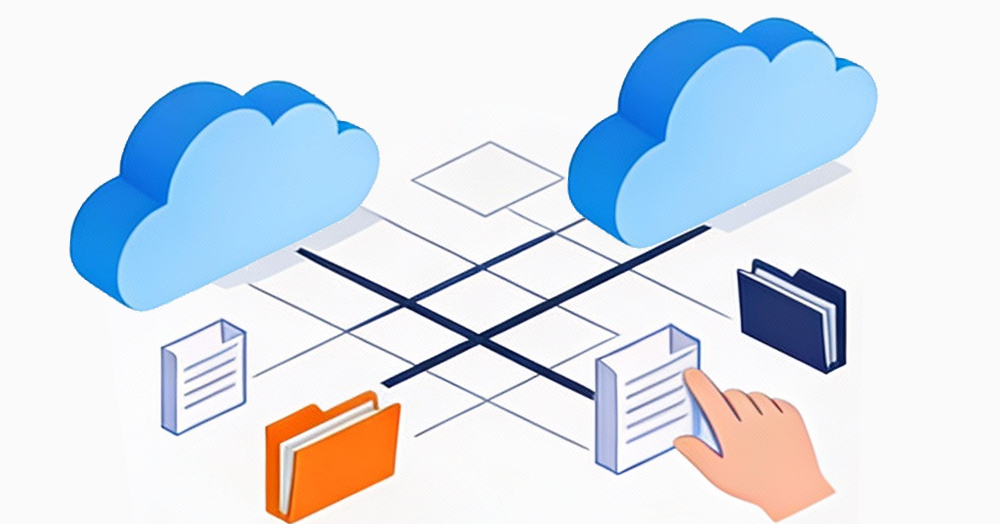
Air Explorer: The best tool for cloud‑to‑cloud and PC‑to‑cloud migration
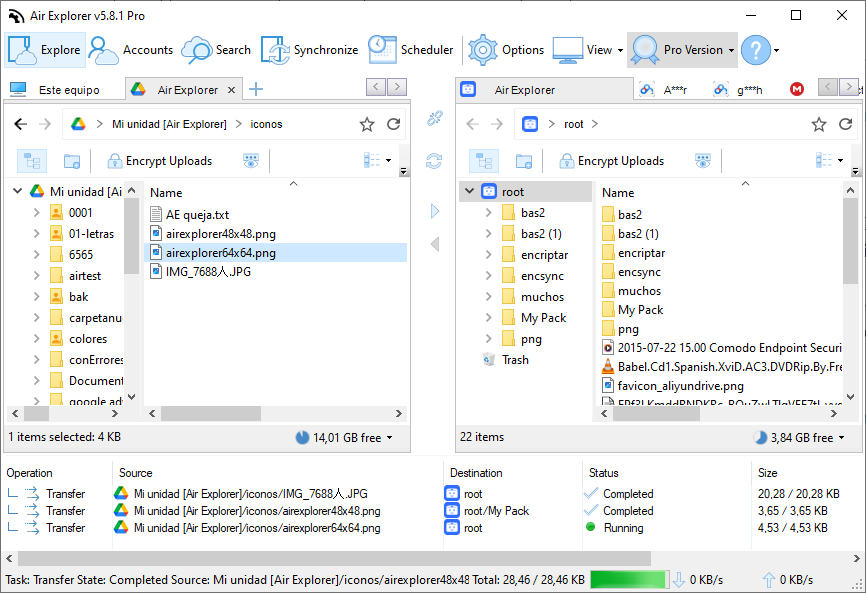
Air Explorer is a desktop multi‑cloud manager designed for fast, secure, and flexible file transfers. It supports dozens of cloud services, including Google Drive, OneDrive, Dropbox, Box, Amazon S3, WebDAV, FTP, and more.
Key migration features
- Direct cloud‑to‑cloud transfers (e.g., Google Drive ↔ OneDrive)
- Unlimited transfers with drag‑and‑drop
- Built‑in encryption for secure migration
- Multiple sync modes: mirror, update, bidirectional, customized
- Scheduler for automated migrations and backups
Ideal use cases
- Migrating from one cloud provider to another
- Consolidating personal or business cloud accounts
- Moving company data to a new platform
- Creating automated multi‑cloud backup routines
Air Cluster: Best for merging multiple cloud accounts
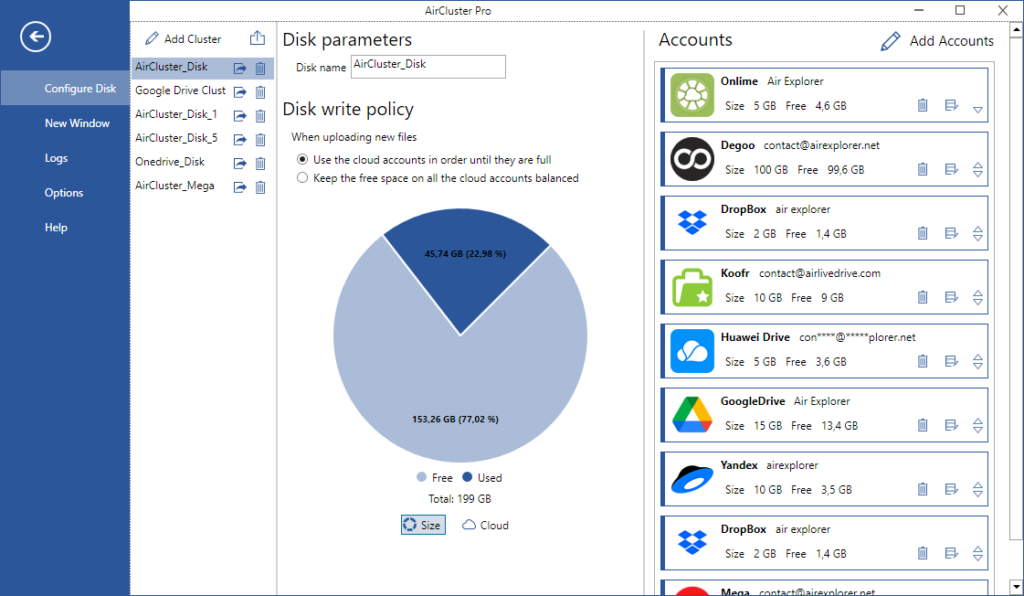
Air Cluster specializes in cloud clustering, combining multiple cloud accounts into one large virtual drive.
How Air Cluster helps in migration
- Merge several accounts into a single unified cloud
- Transfer files across clusters or between cluster ↔ PC
- Ideal for users with many small free cloud accounts
Use cases
- Expanding storage capacity
- Consolidating backups
- Creating a multi‑cloud environment with a single access point
How to choose the right tool for your migration
| Tool | Best For |
|---|---|
| Air Explorer | Cloud‑to‑cloud transfers, PC‑to‑cloud sync, automation |
| Air Cluster | Merging multiple cloud accounts into one large cloud |
Decision factors
- Data size
- Number of cloud accounts
- Need for automation
- Type of workflow (backup, sync, migration)
Best practices for smooth cloud migration
- Plan your folder structure before migrating
- Use encryption for sensitive files
- Test with small folders first
- Schedule large migrations during low‑traffic hours
- Review logs to confirm successful transfers
- Check cloud quotas and API limits
Conclusion
Cloud migration is now an essential part of modern digital workflows. Whether you’re moving data between clouds, consolidating accounts, or creating automated backups, having the right tools makes all the difference.
Air Explorer and Air Cluster offer fast, reliable, and secure solutions for every migration scenario. Combined with Air Live Drive, they cover all cloud‑to‑cloud, PC‑to‑cloud, and multi‑cloud workflows.
Download the tools today, run your first test migration, and take full control of your cloud management.