Most people store their files across three or more cloud services with no clear system, leading to lost documents, outdated backups and real security risks. This guide covers the six essential strategies to take full control of your digital assets, keep them organized across every cloud, and protect them from unauthorized access.
What Is Digital Asset Management?
Digital asset management (DAM) is the practice of organizing, storing, protecting and retrieving your digital files (documents, photos, videos, contracts) in a structured, consistent and secure way. In 2026, with most users relying on multiple cloud services simultaneously, effective DAM requires tools that work across all your clouds at once.

Centralize All Your Clouds in One Place
You can’t protect what you can’t see. The first step is connecting all your cloud accounts into a single interface so you have complete visibility over every file you own.
Using a multi-cloud file manager like Air Explorer, you can browse and manage Google Drive, OneDrive, Dropbox, Amazon S3 and 50+ other services from one unified dashboard, without switching apps or logging in and out repeatedly.
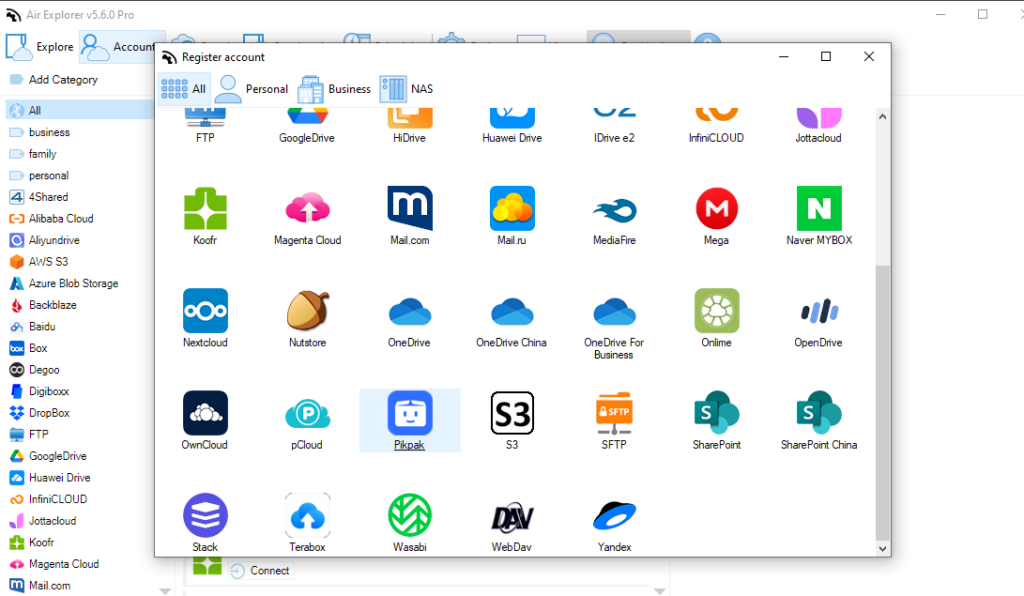
Key takeaway: Centralizing your clouds eliminates blind spots and gives you a clear map of where every asset lives.
Build a Consistent Folder Structure
A solid naming convention applied consistently across all your clouds is the foundation of good digital asset management. Use the same format everywhere:
| Category | Folder structure example |
|---|---|
| Work projects | /Work/YYYY-MM_ProjectName |
| Personal documents | /Personal/Finance/2026 |
| Media files | /Media/Photos/YYYY-MM |
| Backups | /Backups/Device_YYYY-MM-DD |
Review and clean up your folder structure at least once a quarter to eliminate duplicates and outdated files.
Sync Automatically, Don’t Rely on Manual Transfers
Manual file management is the #1 cause of outdated backups and version conflicts. Automating your sync tasks removes human error from the equation entirely.
- Set up bidirectional sync to keep two clouds perfectly mirrored in real time
- Run cloud-to-cloud sync directly, no need to download files to your PC first
- Schedule sync tasks during off-hours to avoid interrupting your workflow
- Use sync logs to confirm every task completed correctly
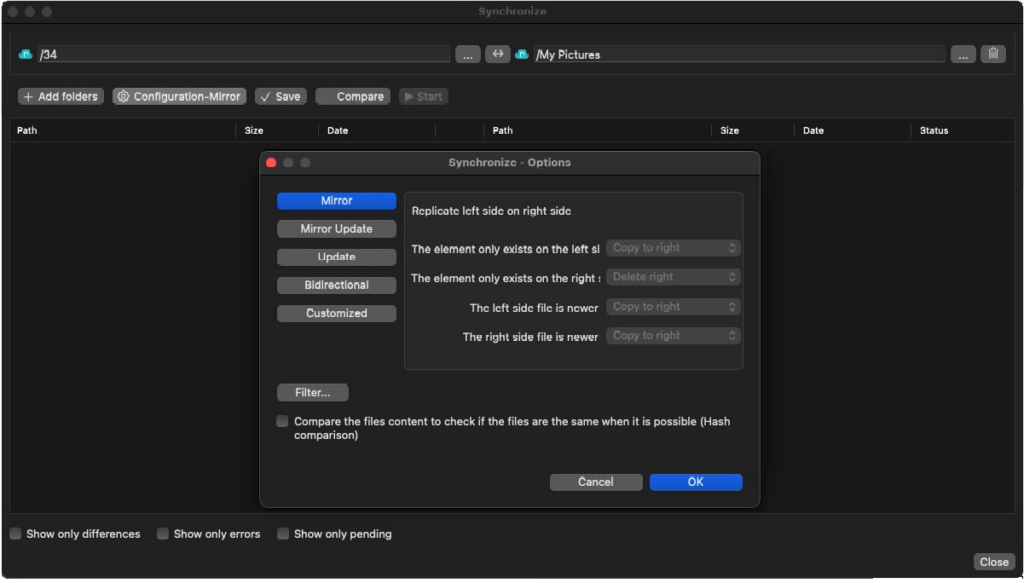
Key takeaway: Automated sync means your digital assets are always up to date, even when you forget about them.
Encrypt Sensitive Files Before Uploading
Cloud storage is convenient, but not inherently private. Even with strong passwords, accounts can be compromised.
| File type | Encryption recommended? |
|---|---|
| Contracts & legal documents | ✅ Always |
| Financial records | ✅ Always |
| Personal photos | ⚠️ Recommended |
| Public marketing assets | ❌ Not necessary |
| Work presentations | ⚠️ Recommended |
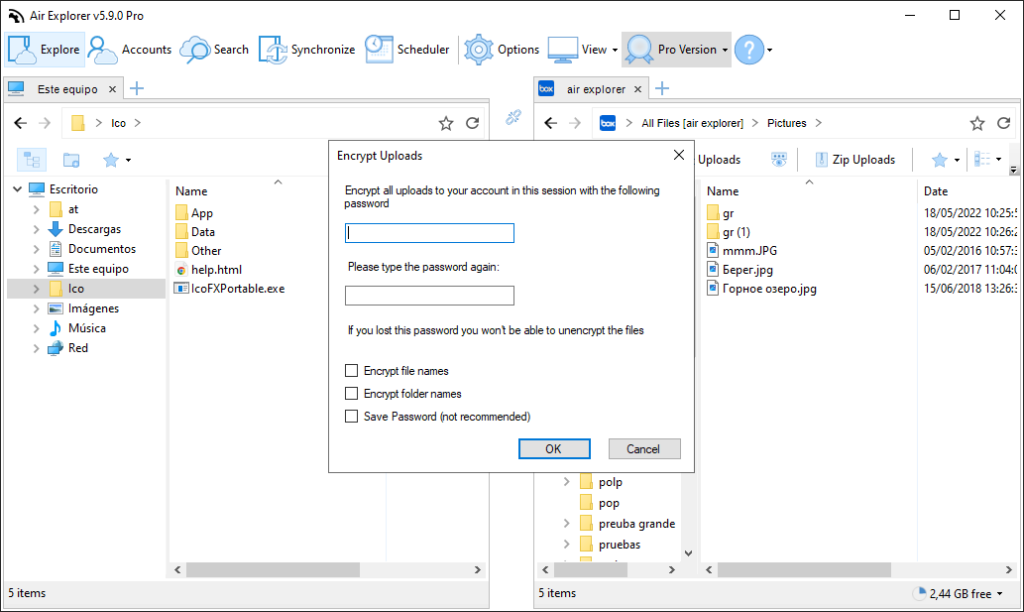
Air Explorer lets you encrypt both file content and filenames before uploading, so even if someone gains access to your cloud account, your most sensitive assets remain completely unreadable without your password.
Follow the 3-2-1 Backup Rule
The industry-standard backup strategy protects your assets against device failure, accidental deletion and ransomware simultaneously:
| Copy | Where |
|---|---|
| 1st copy | Original file on your local device |
| 2nd copy | Primary cloud (e.g., Google Drive) |
| 3rd copy | Secondary cloud (e.g., Backblaze or Amazon S3) |
Automate this entire process with scheduled backup tasks across multiple clouds. Test your backups regularly to confirm files are actually recoverable.
Audit and Clean Up Regularly
Digital assets accumulate fast. Without regular audits, storage costs rise and security risks grow unnoticed.
- Schedule a monthly review of all connected cloud accounts
- Delete files you no longer need and empty cloud trash folders
- Revoke sharing permissions on inactive files
- Check for publicly shared files that should be private
Conclusion
Managing and protecting your digital assets doesn’t require complex systems, it requires the right tools and consistent habits. By centralizing your clouds, automating sync, encrypting sensitive files and following the 3-2-1 backup rule, you’ll never lose an important file again. Air Explorer brings all these capabilities into one app, making professional-grade digital asset management accessible to everyone on Windows and Mac.