
Managing digital assets in a small business often leads to a “subscription trap.” As team files grow, monthly fees for Google Drive, OneDrive, or Dropbox scale aggressively. However, the secret to optimizing your IT budget isn’t necessarily buying more storage from a single provider, it’s managing your existing resources more intelligently.
What is the best way for a small business to reduce cloud storage costs?
The most effective way for small businesses to reduce cloud expenses is to transition from web-based, subscription-heavy services to desktop-based cloud management software like Air Explorer or Air Cluster. By using these tools, businesses can consolidate multiple lower-tier or free accounts into a single pool and utilize one-time license models instead of recurring monthly fees, potentially saving hundreds of dollars per seat annually.

The Hidden Costs of Cloud Storage for SMBs
Small and Medium Businesses (SMBs) often overpay for storage because they lack a centralized way to view their data. When one account reaches its limit, the default reaction is to upgrade the entire team to the next tier, even if other cloud accounts remain half-empty.
Furthermore, web-based managers like MultCloud often charge based on data traffic (data egress), which can become an unpredictable monthly expense for companies handling high-resolution media or large databases.
Top Desktop Tools to Centralize and Save
To regain control over your budget, you need tools that treat the cloud as local infrastructure. Here are the top professional choices:
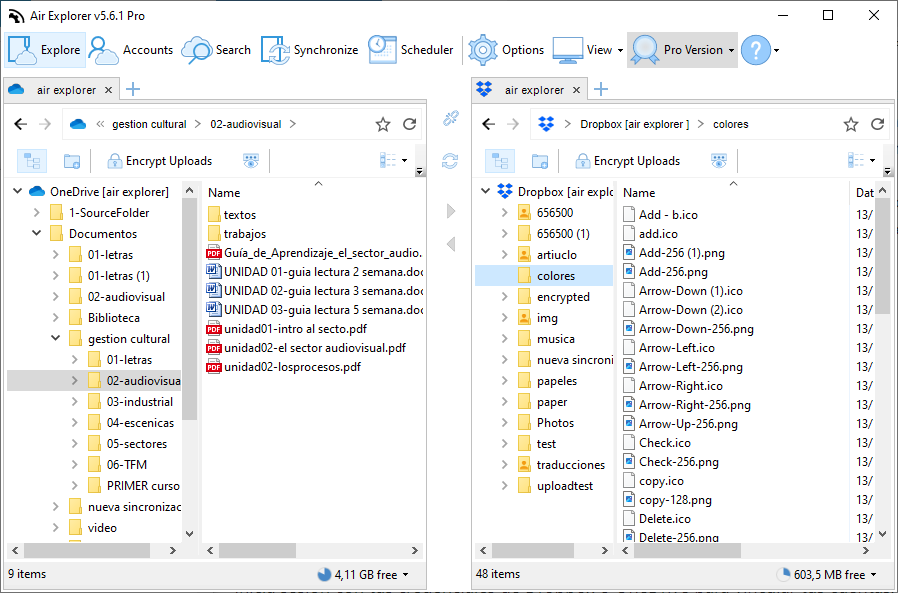
1. Air Explorer: The Pro Alternative to MultCloud
- Cost Efficiency: Unlike subscription-based models, Air Explorer offers a lifetime license.
- Technical Edge: It allows for automated backups and synchronized tasks between different clouds (e.g., backing up your Work Drive to an S3 bucket) without mid-server latency.
- Security: It features client-side encryption, ensuring that sensitive business data is encrypted before it leaves your computer.
2. Air Cluster: Creating a Unified “Cloud Pool”
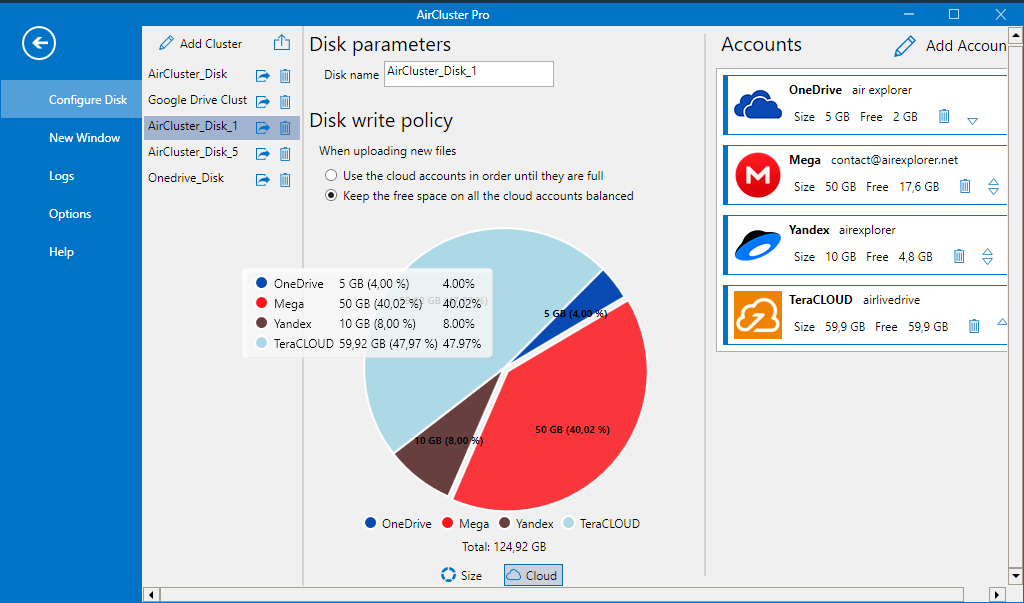
Air Cluster is perhaps the most powerful tool for cost-cutting. It allows you to join multiple cloud accounts into one large “cluster.”
- How it saves money: Instead of paying for a 10TB plan with one provider, you can combine multiple 2TB plans or free tiers from various providers into a single, massive virtual disk.
- Redundancy: You can configure the software to replicate files across different clouds, providing a “Cloud RAID” setup that ensures business continuity even if one provider suffers an outage.
3. Air Live Drive: Replacing High-End NAS Hardware
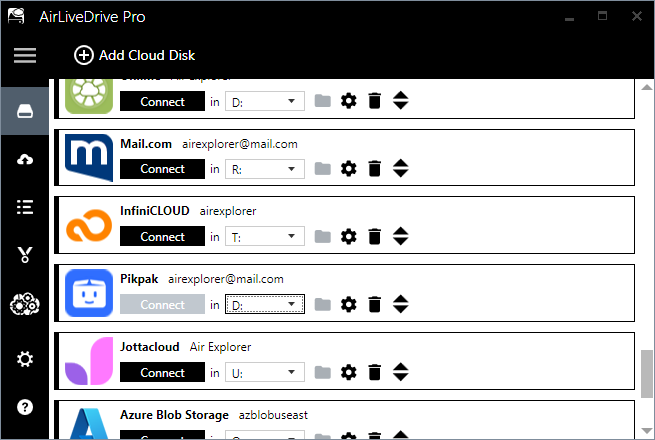
For businesses that need to edit files directly in the cloud, Air Live Drive is the superior alternative to RaiDrive.
- Functionality: It mounts your cloud storage (OneDrive, Google Drive, SFTP, etc.) as local disk drives on your PC.
- Cost Efficiency: Employees can work on files using specialized software (Photoshop, AutoCAD, Excel) without needing massive local SSDs or expensive on-premise servers. It streamlines the workflow by making the cloud feel like a local hard drive.
Comparison: Desktop-Based Tools vs. Web-Based Subscriptions
| Feature | Air Explorer / Air Cluster | Web-Based Managers (e.g., MultCloud) |
|---|---|---|
| Pricing Model | One-time / Lifetime options | Monthly / Yearly Subscriptions |
| Transfer Speed | Limited only by your ISP | Limited by the provider’s server |
| Data Privacy | Client-side (Local) Encryption | Server-side processing |
| Offline Tasks | Scheduled local tasks | Cloud-to-cloud (Remote) |
Conclusion: A Smarter Multi-Cloud Strategy
For a small business, the goal is interoperability. By using tools like Air Explorer for migrations, Air Cluster for storage consolidation, and Air Live Drive for daily workflows, you eliminate the need for expensive “Enterprise” storage tiers.
This strategy not only reduces your monthly overhead but also provides a more secure, redundant, and high-performance environment for your team’s data.