Managing S3, FTP, and WebDAV: Centralizing Professional Storage in One Interface

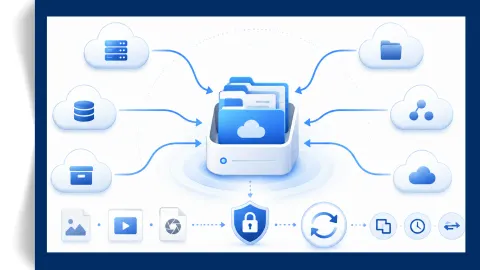
As businesses scale, their data storage needs often move beyond consumer-grade clouds like Google Drive or Dropbox. Professional environments frequently rely on a mix of Amazon S3 (and S3-compatible storage), FTP/SFTP servers, and WebDAV to handle website backups, media assets, and secure file transfers. However, managing these disparate protocols usually requires multiple clients, leading to fragmented workflows and increased security risks.

Read More

Air Cluster 2.1.0, new version

The update introduces a powerful task scheduler that lets users automate periodic uploads, downloads, cloud‑to‑cloud transfers, and synchronizations. It also improves reliability and compatibility across services with wildcard support in the command line, reduced memory usage, multiple bug fixes, and enhanced SFTP protocol support.

Read More

Air Explorer for Mac 2.2.0, new version

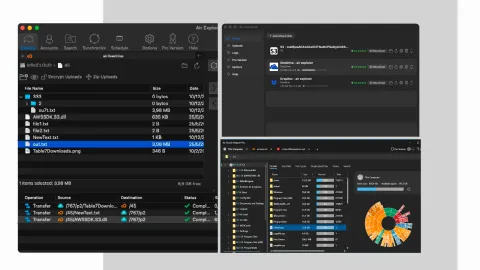
The update introduces a new integrated scheduler, enhanced synchronization filters, and redesigned management screens that streamline account, sync, and search workflows. It also adds native Apple Silicon support, powerful bulk‑rename and command‑line options, improved stability, and multiple fixes for cloud‑service compatibility.

Read More

Best Cloud Manager Tools for Small Businesses to Reduce Subscription Costs

Managing digital assets in a small business often leads to a “subscription trap.” As team files grow, monthly fees for Google Drive, OneDrive, or Dropbox scale aggressively. However, the secret to optimizing your IT budget isn’t necessarily buying more storage from a single provider, it’s managing your existing resources more intelligently.

Read More

How to mount cloud drives as local disks with Air Live Drive

In the modern digital landscape, the paradox of choice has hit our storage devices. We have more data than ever, yet our physical hard drives, especially the lightning-fast SSDs found in modern laptops, are often smaller than the cloud storage quotas we own. The traditional solution has been “synchronization,” a process that frequently leads to duplicated files, wasted disk space, and the constant anxiety of a “Disk Full” notification.

Read More

Stop wasting cloud space: How to exclude .tmp, thumbs.db, and large files

In the digital era, cloud storage has become our primary filing cabinet. However, without proper management, these virtual spaces quickly fill up with “digital junk” that consumes your quota and slows down your productivity. Many users find themselves paying for storage upgrades not because they have more valuable data, but because their cloud is bloated with unnecessary files. By implementing a smart synchronization strategy, you can reclaim your space and ensure you only host what truly matters.

Read More

Benefits and challenges of cloud file storage

The digital landscape has undergone a radical transformation over the last decade. Not long ago, we were tethered to physical hardware, clunky external hard drives, fragile CDs, and USB sticks that were easily lost. Today, the “Cloud” has become our primary digital home. We store our memories, our professional projects, and our sensitive data on remote servers that we can access from the palm of our hands.

Read More

Cloud file management solutions: Creating the perfect folder structure for your data

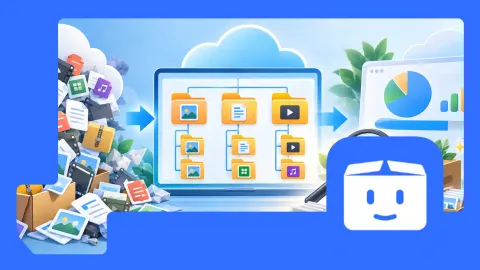
Managing files in the cloud has become an essential part of modern digital workflows. Whether you’re a freelancer, a business, or simply someone who stores personal documents online, the way you organize your cloud folders directly affects your productivity. A messy structure leads to duplicated files, lost documents, and wasted time. A clean, well‑designed structure, on the other hand, makes your data easy to find, easy to maintain, and easy to protect.

Read More

How to structure cloud storage: Organizing files for quick retrieval

In this guide, you’ll learn practical strategies to organize your cloud storage effectively, plus recommended tools, Air Live Drive, Air Cluster, and Air Explorer, that make multi‑cloud organization easier than ever.

Read More

Best Multcloud alternative? Try Air Explorer

f you’re searching for the best MultCloud alternative, the answer is clear: Air Explorer. With a desktop‑first approach, broader cloud support, stronger security, and a one‑time license option, Air Explorer stands out as the superior choice.

Read More

Migration and file transfer options

Cloud storage has become the backbone of modern digital workflows. As businesses and individuals increasingly adopt multi‑cloud environments, using Google Drive for collaboration, OneDrive for work documents, Dropbox for sharing, and Amazon S3 for backups, the need for efficient migration and file transfer solutions has grown dramatically. Hybrid workflows, where data moves between local devices and multiple cloud platforms, are now the norm.

Read More

Best ways to organize files in the cloud for better productivity and data protection

In today’s digital world, cloud storage has become the backbone of productivity. Whether you’re a freelancer, a business owner, or simply managing personal files, the way you organize your cloud data directly impacts efficiency and security. Poor organization can lead to wasted time, duplicated files, or even data loss. The good news is that with the right strategies, and the right tools, you can transform your cloud into a streamlined, secure workspace.

Read More

Secure cloud synchronization: How Air Cluster manages your data while syncing

In a world where digital workflows span multiple platforms, the need for multi-cloud synchronization has become essential. Professionals, teams, and individuals often rely on a mix of services, Google Drive for collaboration, Dropbox for file sharing, OneDrive for Office integration, and Mega or Box for personal backups. Managing data across these platforms can be overwhelming, especially when files need to be kept up to date across devices and accounts.

Read More

Centralize and organize your cloud files

The rise of cloud storage services such as Google Drive, OneDrive, Dropbox, and Mega has transformed the way we store and access data. These platforms make files available anywhere, but they also create fragmentation. Switching between multiple official apps with different interfaces wastes time, complicates workflows, and often leads to frustration.

Read More

The ultimate cloud drive mapper: Why you need Air Live Drive

Managing multiple cloud accounts has become a daily reality for professionals, students, and businesses. From Google Drive and OneDrive to Dropbox, Mega, and private servers, cloud storage is everywhere. But juggling files across platforms can be frustrating, especially when syncing eats up local storage and slows down workflows.

Read More
Privacy Overview

This website uses cookies so that we can provide you with the best user experience possible. Cookie information is stored in your browser and performs functions such as recognising you when you return to our website and helping our team to understand which sections of the website you find most interesting and useful. Read more about Cookie Policy.