Air Explorer
Multi-cloud manager for desktop
The Professional Multi-Cloud Management Solution
Streamline your data workflows with a high-performance desktop engine.
Professional Multi-Cloud Management
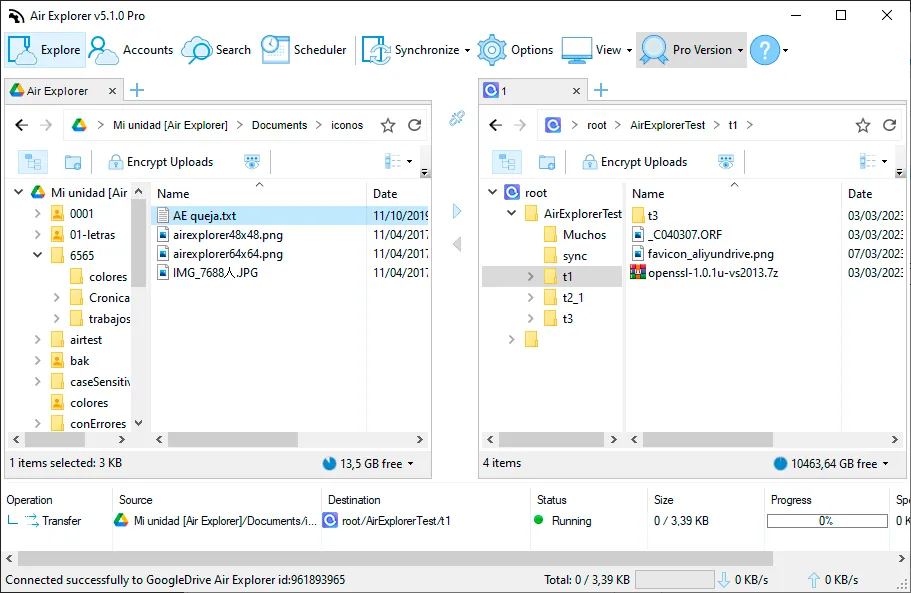
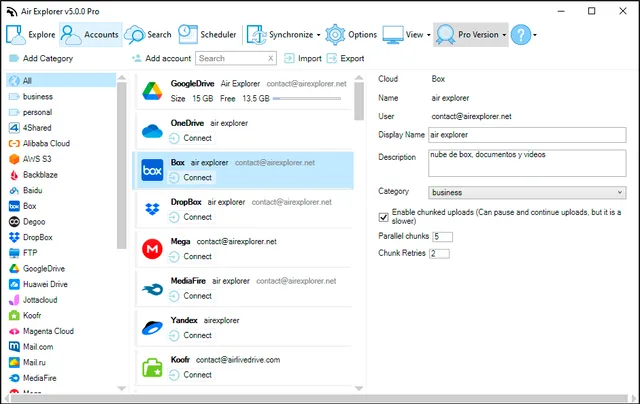
Air Explorer simplifies multi-cloud management. As a desktop application, it connects directly to your providers, bypassing the latency and privacy risks of web-based tools. Supporting major platforms like Google Drive and OneDrive, it offers professional speed and security in one centralized interface.
Advanced Security & Client-Side Encryption
Air Explorer secures file transfers between all major clouds and enables seamless folder synchronization with your computer.
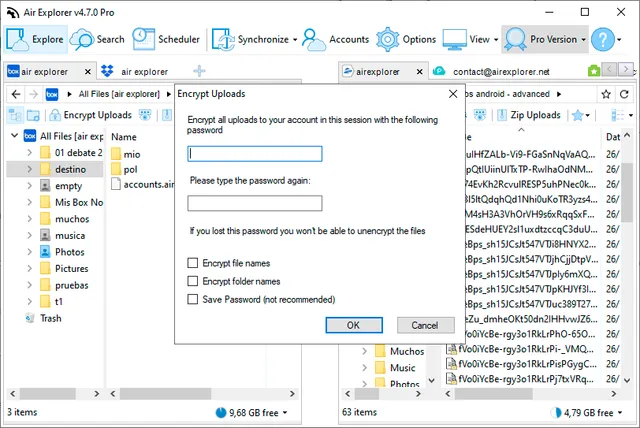
The Privacy Advantage: Use client-side encryption to secure files locally before upload. Your cloud provider never sees your raw data, only encrypted blocks, ensuring maximum data sovereignty for B2B workflows.
High-Resilience File Transfers
Air Explorer optimizes your cloud operations with a focus on reliability and speed:
Intuitive Interface
Drag-and-drop or copy/paste files directly between clouds and your computer.
Transfer Resilience
Unlike web tools, you can pause and resume transfers, ensuring data integrity even during connection drops.
Efficiency
Simplify storage management and significantly improve your data workflows.
Consider using Air Explorer to streamline your cloud storage management and improve your data management workflows.
Buy nowAlso, we have a version for Mac
Supported Cloud Ecosystem
Extensive Compatibility with Leading Storage Providers
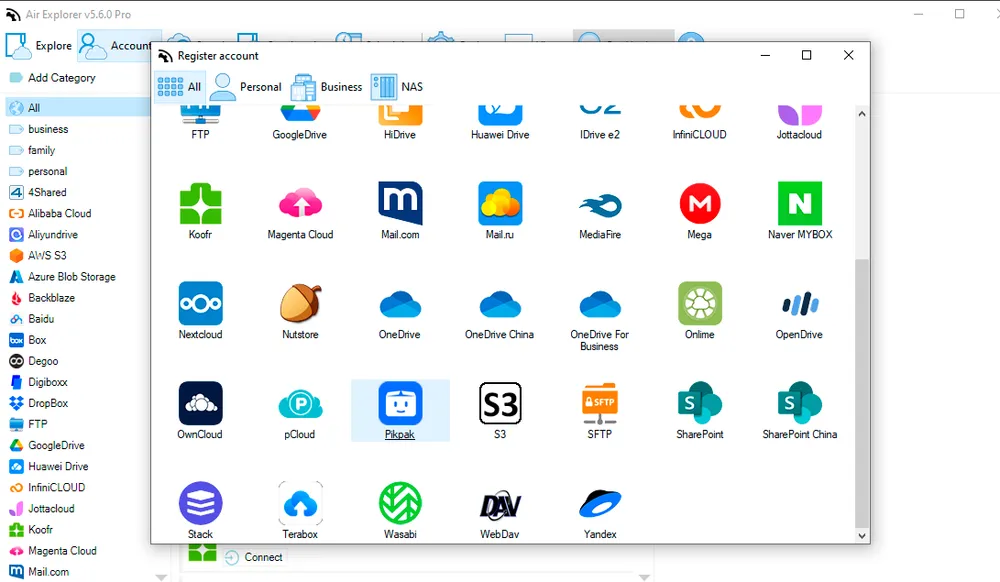
Air Explorer offers native support for the industry’s most robust online cloud storage services and professional protocols:
Public Clouds
OneDrive (including Business and China), Google Drive, Dropbox, Box, Mega, pCloud, PikPak, TeraBox and Mediafire.
Professional Protocols
S3, AWS S3, Wasabi, WebDAV, FTP, and SFTP.
Regional & Specialized
Yandex, Baidu, Naver, Mail.ru, SharePoint Online, Backblaze, Nextcloud, Alibaba Cloud, and Azure Blob Storage.
Technical FAQ: Master Your Multi-Cloud Environment
How can I manage multiple cloud accounts in one application?
The most efficient way to manage multiple cloud accounts is by using a desktop manager like Air Explorer. It allows you to centralize providers like Google Drive, OneDrive, and S3 in a single interface, enabling direct cloud-to-cloud transfers and automated folder synchronization without relying on a web browser.
Is it possible to encrypt files before uploading them to the cloud?
Yes, Air Explorer includes a built-in client-side encryption feature. This allows you to secure your files with a custom password on your computer before the upload starts, ensuring your data is already protected by the time it reaches the cloud server.
How to transfer files between different cloud servers without downloading them?
With Air Explorer, you can copy and paste or drag and drop files directly between different cloud servers. The software manages the transfer efficiently, supporting large file migrations and offering the ability to pause and resume the process to ensure data integrity.