Access Cloud Storage Like a Local Hard Drive
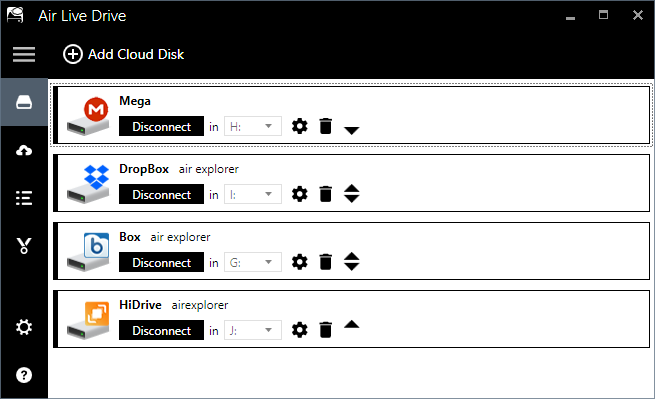
Air Live Drive revolutionizes how professionals interact with fragmented data. Unlike traditional synchronization tools that duplicate files and consume valuable SSD space, this cloud mapper mounts your accounts as local virtual disks. This allows you to open, edit, and save remote files using your native desktop applications, such as Microsoft Word, Excel, or Adobe Photoshop, without requiring a local copy.
Air Live Drive: Access your cloud files like local drives
Stop switching between cloud interfaces! Air Live Drive lets you access your cloud storage as if it were a local drive, making file management seamless and intuitive. Experience the convenience of having all your cloud files at your fingertips.
Try Air Live Drive today and start your free trial!
Add the Clouds, Award a Disk and Start Working with your Online Files.
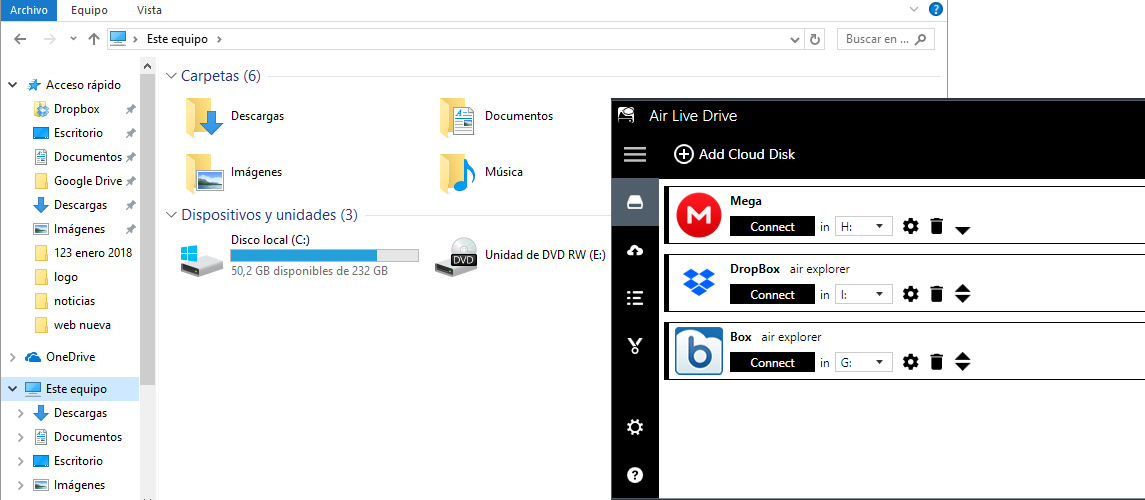
1.Install and open Air Live Drive
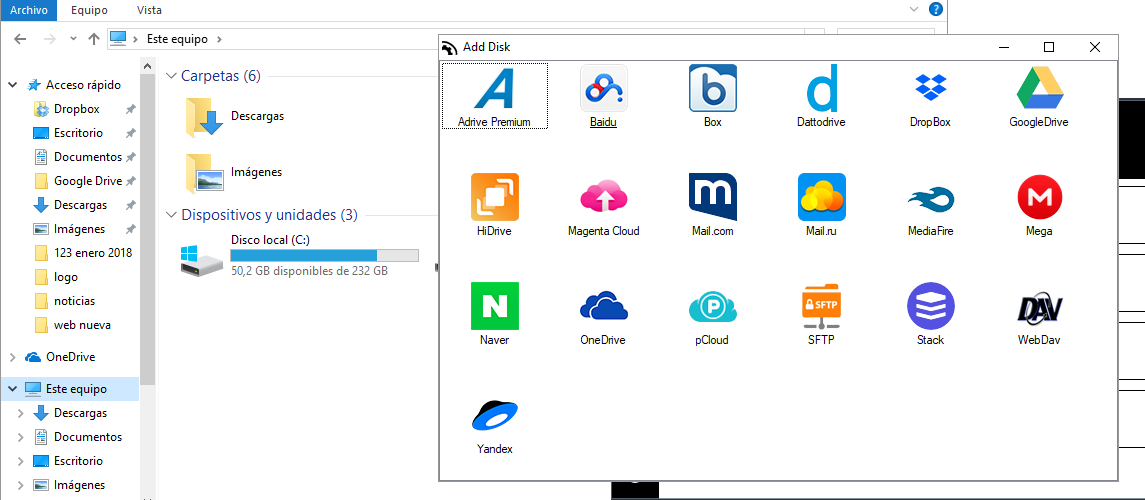
2.Add a cloud account
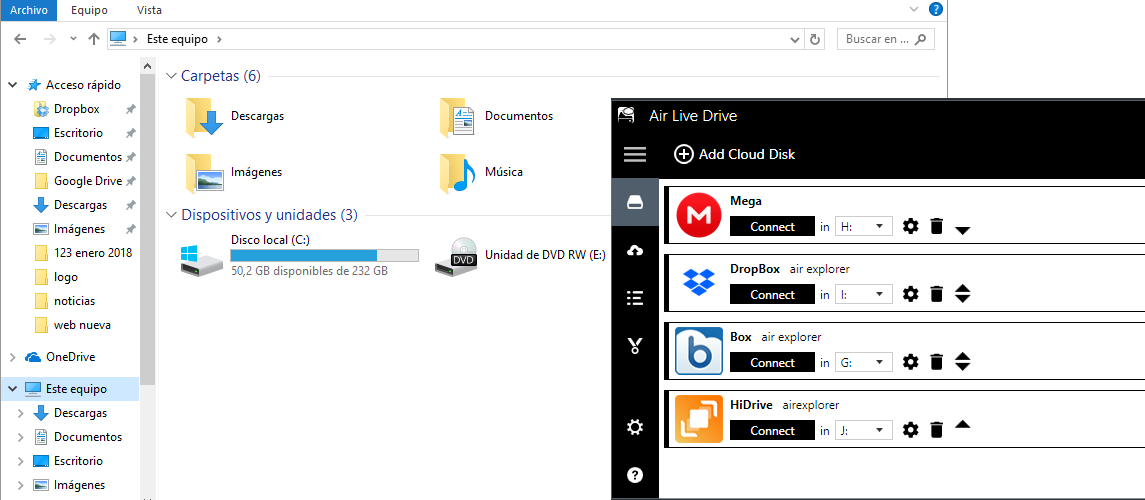
3.Connect the disk
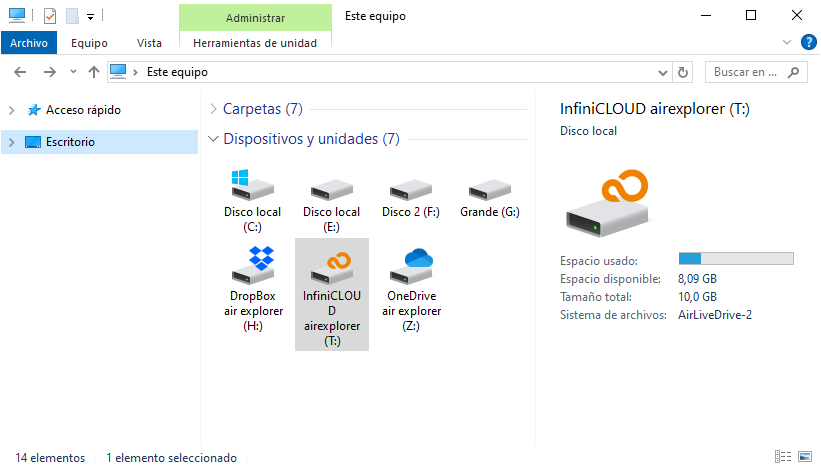
4.Start working
Professional Integration with Windows Explorer
Direct file interaction without switching interfaces
Stop wasting time with complex web interfaces. With Air Live Drive, your cloud storage is integrated into your system’s file manager.
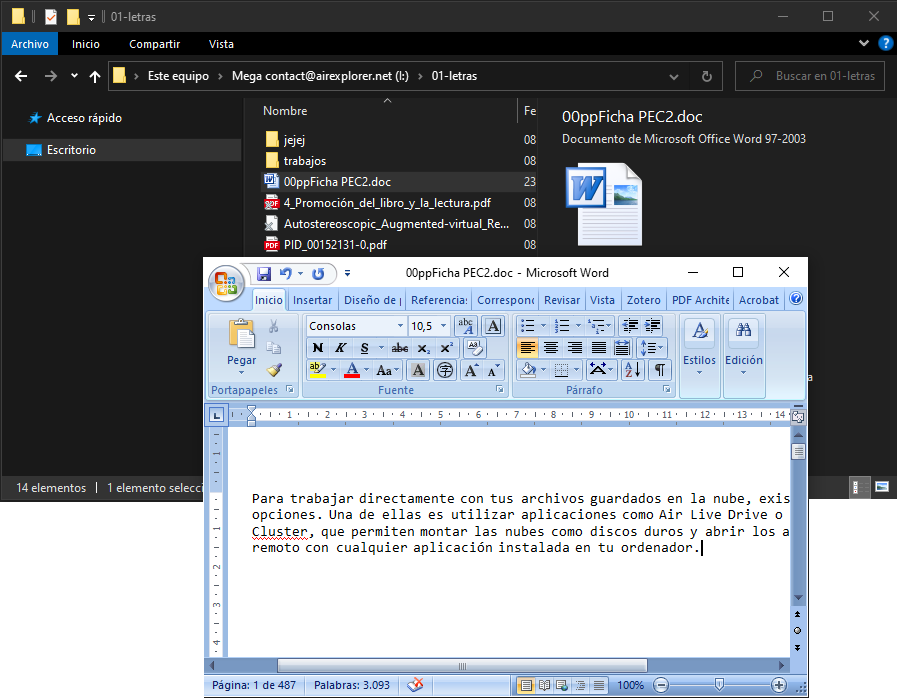
Direct Edit Functionality: Open a file directly from Google Drive or Dropbox in your favorite editing software, make changes, and save. The software handles the rest.
No local duplication: Reclaim your hard drive. By working online, you can access terabytes of data without occupying physical space on your device.
High-Speed Remote Access via Advanced Engine Configuration
To bridge the gap between cloud latency and local efficiency, Air Live Drive features a sophisticated optimization engine:
Advanced Smart Caching: Drastically improves file access speed by caching frequently used data locally, ensuring a fluid user experience even with large datasets.
Seamless Background Uploads: Save your changes instantly and continue working. The software manages the upload process in the background, ensuring your workflow remains uninterrupted.
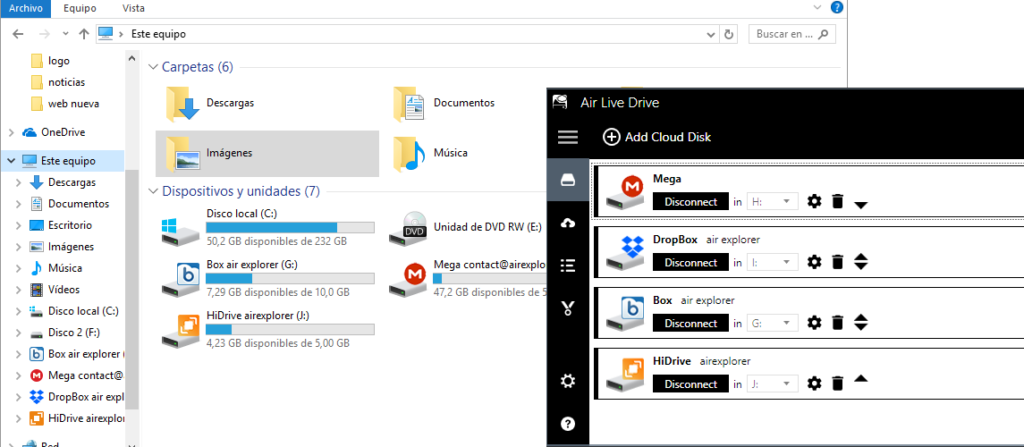
Multi-Account Mounting: Manage multiple accounts from the same provider simultaneously, assigning each its own dedicated drive letter for organized navigation.
Industry-Leading Compatibility for Technical Teams
Air Live Drive provides native support for the most robust cloud providers and professional protocols:
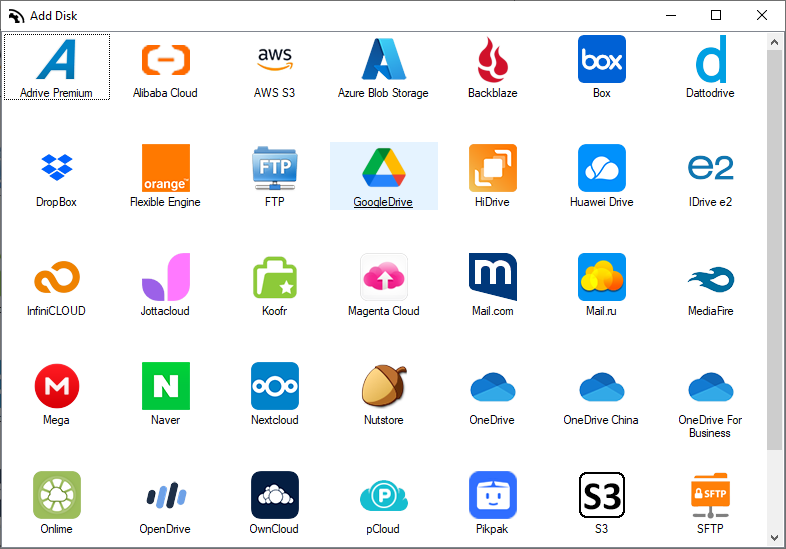
Personal & Business Clouds: OneDrive, Google Drive, Dropbox, Box, Mega, pCloud, Naver, PikPak and Mediafire.
Professional Protocols: S3 (AWS, Wasabi, DigitalOcean), FTP, SFTP, and WebDAV.
Enterprise Storage: SharePoint Online, SharePoint China, and Azure Blob Storage.
Technical FAQ: Master Your Cloud Drive Mapping
A cloud drive mapper like Air Live Drive is a technical solution that connects your cloud storage to your computer as if it were a local physical disk. It is superior to syncing because it saves local disk space and allows you to work directly with remote files in real-time without the wait time associated with synchronization processes.
You can mount Google Drive or OneDrive as a local disk by using Air Live Drive. After adding your account and authorizing access, the software assigns a drive letter (e.g., Z:) to your cloud account. It will then appear in your Windows Explorer for direct file management.
Yes. Air Live Drive allows you to open and edit cloud-stored files directly with your preferred software (like Photoshop or Office). When you save the file, the changes are uploaded to the cloud in the background, eliminating the need to manually download and re-upload documents.